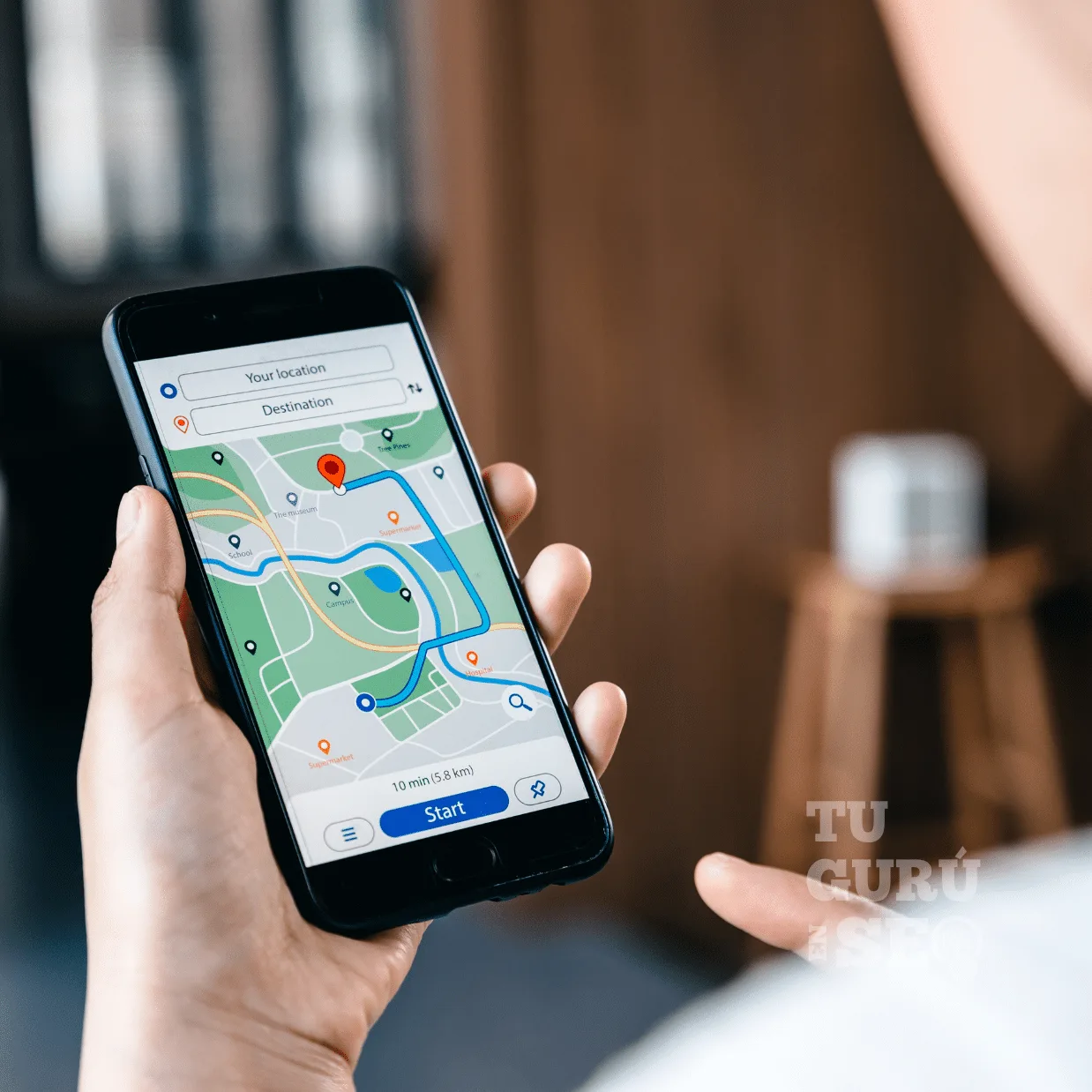
Appearing on Google Maps radically transforms your local business's visibility. 86% of consumers use Google Maps to find nearby businesses, and 76% of local mobile searches result in a physical visit within 24 hours. A business invisible on Maps loses dozens of potential customers every day to better-ranked competitors. Google Maps ranking generates ultra-qualified traffic from people ready to buy immediately, with a conversion rate 5-10x higher than typical web traffic.
Google Maps doesn't automatically list every business. You need to actively claim and optimize your presence via Google Business Profile (GBP). Without a configured GBP, your business stays invisible even if it's existed physically for 20 years. This reality surprises many entrepreneurs who discover their competitors are capturing all the customers simply because they appear on Maps while they don't. Check out our complete local SEO guide to understand the broader local search ecosystem.
This guide details the 10 essential steps to appear on Google Maps and dominate your local market. You'll master creating your Google Business Profile, ownership verification, full optimization, review generation, and how to reach the Top 3 of the Local Pack (the top 3 results shown on the map). Every step includes concrete, immediately actionable steps.
Step 1: Create Your Google Business Profile
Google Business Profile is the mandatory gateway to Google Maps. No GBP, no Maps appearance. Creation takes 15 minutes but determines your local visibility for years to come.
Accessing Google Business Profile
Go to business.google.com and sign in with your professional Google account. Use a professional email address (@yourdomain.com) rather than a personal Gmail address. This strengthens credibility and makes it easier to manage if multiple people need account access.
If you already have a Google account (Gmail, YouTube, Analytics), use it directly. Otherwise, create a new Google account dedicated to your business. Advantage: all your Google properties (GBP, Analytics, Search Console, YouTube) centralized under one account.
Searching for Your Business
Click "Add your business to Google" then search for your business's exact name. Google shows three possible scenarios:
Scenario A: Your business already exists Someone (a former owner, employee, or Google automatically) created a listing. Click "Claim this business" to take control. You'll need to prove you're the legitimate owner via verification (detailed in step 2).
Scenario B: Similar businesses suggested Google shows businesses with similar names. Check carefully: if none match exactly, click "None of these match" and create a new listing.
Scenario C: No results Your business doesn't exist in Google's database. Click "Add your business" and start creating it.
Filling in Basic Information
Business name: Use the exact official legal name (as registered). Do NOT add keywords (e.g., "Downtown Italian Restaurant La Bella Vita" = prohibited). Google penalizes names with keyword stuffing. Just "La Bella Vita" or "Restaurant La Bella Vita" if "Restaurant" is part of the legal name.
Primary category: Choose THE category that best describes your core business. This category determines which searches you appear for. An Italian restaurant should choose "Italian restaurant" rather than "Restaurant" (too generic) or "Pizzeria" (too specific if you offer more than pizza).
Tip: type your business type and Google suggests available categories. Select the most precise one that still gets search volume. "Plumber" > "Heating plumber" > "Sanitary plumber" depending on your specialization.
Address: Enter the exact physical address where customers can visit you. Format: number, street name, zip code, city. Google validates the address via Google Maps. If there's an error, correct it until Google recognizes the address.
Service Area Business (SAB) exception: If you're a plumber, tradesperson, or home-service business with NO customer-facing location, select "I deliver goods and services to my customers" and hide the address. You'll then define your service areas (radius or cities served).
Phone number: Use a local landline number if possible. Recommended format: +1 (XXX) XXX-XXXX. Advantage of a local number: strengthens the location signal + reassures customers (a landline looks more professional than a mobile number).
Website: Enter your website's full URL. If you don't have a site, Google offers to build a basic free site. Acceptable temporarily, but invest in a real site quickly (better control + better SEO).
Step 2: Verify Your Ownership
Google requires verification to confirm you're the legitimate owner of the business. This critical step blocks full GBP access until validated.
Available Verification Methods
Postcard verification (standard method): Google mails a postcard with a unique code to your business address. Timeframe: 5-14 days. Receive the postcard, log into GBP, enter the 5-character code. Verification validated instantly.
Phone verification (if available): Google calls your business number and reads out a code. Or sends an SMS with a code. Enter the code immediately in GBP. Instant verification. Availability: depends on your business category + country + history.
Email verification (rarely available): Google sends an email with a verification link to your business email (@yourdomain.com). Click the link. Instant verification. Availability: very limited, generally for certain chains/franchises.
Instant verification (special cases):
- If you've already verified your website in Google Search Console with the same domain as your GBP, automatic verification may be possible
- If you already manage a GBP at the same address (e.g., moving from floor 1 to floor 2 of the same building)
Postcard Verification Process
- Order the postcard: GBP → Verify now → By mail
- Check the address: Google shows the address the postcard will be sent to. If there's an error, fix it BEFORE ordering
- Wait for delivery: 5-14 days depending on country/region
- Enter the code: GBP → Verify now → Code: XXXXX
- Validation: Full GBP access unlocked immediately
If the postcard hasn't arrived after 14 days:
- Check the physical mailbox (not email)
- Check that mail carriers have access (secured building?)
- GBP → Help → I didn't receive my postcard → Request a new postcard (limit: 3 postcards max)
Warning: Only request ONE postcard at a time. Ordering multiple postcards simultaneously can get your account flagged for suspected fraud.
Step 3: Optimize Your Profile to 100%
A verified but incomplete GBP generates 40% less visibility than a complete one. Google drastically favors thorough listings. Goal: 100% completion.
Secondary Categories (3-5)
Add 3-5 secondary categories complementary to your primary one. An Italian restaurant might add:
- Pizzeria (if you make pizzas)
- Catering service (if you offer it)
- Fine dining restaurant (if that's your positioning)
- Wine bar (if you have a significant wine list)
Choose truly relevant categories (no spam). Each secondary category makes you visible for those additional searches.
Detailed Business Hours
Fill in hours for EVERY day of the week. Options:
- Regular hours: 9:00am-7:00pm
- Closed: Check if closed that day
- Open 24 hours: Check if applicable
Special hours: Add exceptional closures: holidays, vacations, events. GBP → Hours → Add special hours. Example: "Closed December 25," "Closed August 1-15."
Benefit: Google shows "Open now" or "Opens at 9am" on your listing. Users instantly see your availability.
Business Description (750 characters max)
Write an engaging 500-750 character description including:
- Your main activity
- Your uniqueness/differentiation
- Your flagship services/products
- Your geographic area
- Natural keywords (2-3x max)
Restaurant example: "La Bella Vita has been your authentic Italian restaurant in downtown Chicago since 2010. Our Neapolitan chef prepares traditional dishes with fresh ingredients imported from Italy. Specialties: fresh homemade pasta, wood-fired pizzas, authentic tiramisu. Warm, welcoming atmosphere, sunny patio. We host your private events (up to 40 people). Delivery and click & collect available. Weekend reservations recommended."
Avoid: Keyword stuffing ("Italian restaurant Chicago, best restaurant Chicago, cheap Italian restaurant Chicago..."). Google penalizes it.
Specific Attributes
GBP offers attributes based on your category. Check every applicable one:
- Accessibility: wheelchair ramp, accessible parking, accessible restrooms
- Amenities: free wifi, parking, patio, air conditioning
- Services: delivery, click & collect, mobile payment, online booking
- Atmosphere: kid-friendly, casual, romantic
- Dining: vegetarian options, gluten-free, halal, organic
The more relevant attributes you check, the more information Google has to surface you for specific searches ("restaurant with patio Chicago," "vegetarian restaurant Chicago").
Photos and Videos (Minimum 20)
Essential photo types:
- Logo: Square, high resolution, transparent background if possible
- Cover photo: 1080x608px, showcases your business
- Storefront: Exterior facade, visible signage (3-5 photos)
- Interior: Dining room, decor, atmosphere (5-10 photos)
- Products/Services: Your flagship offerings (5-10 photos)
- Team: Staff, chef, personnel (2-5 photos)
- Customers: Satisfied customers using your services (with permission)
Technical specs:
- Format: JPG or PNG
- Size: 10KB to 5MB
- Resolution: Minimum 720x720px (1080x1080px recommended)
- No heavy filters, no promotional text, no watermarks
Videos (30-120 seconds):
- A tour of your establishment
- Presenting a flagship product/service
- A customer testimonial
- Behind-the-scenes/making-of
GBP listings with 100+ photos generate 520% more direction requests. Photos = a strong signal of an active business + reassure potential customers.
Discover every Google Business Profile optimization strategy to take it even further.
Step 4: Generate Your First Google Reviews
Reviews are ranking factor #2 for local search (after proximity). A business with 50 reviews at 4.5★ consistently outranks a competitor with 5 reviews at 5★.
Asking for Reviews Legally
Methods approved by Google:
- Ask ALL your customers (not just satisfied ones)
- Make the process easy (direct link)
- Regularly remind people how important reviews are
Methods prohibited by Google:
- Buying reviews
- Offering a reward for a review (discount, gift, money)
- Writing fake reviews yourself
- Only asking satisfied customers
Violation = GBP suspension. Follow the rules scrupulously.
Creating Your Direct Review Link
Get your personalized review link:
- GBP → Home → Get more reviews
- Copy the link: https://g.page/r/YOUR_CODE/review
- Or create a custom short link
Uses for the link:
- Printed QR code: invoice, business card, counter sign
- Automated post-purchase email (day +3)
- SMS after service
- Email signature
Review request email (template):
Subject: Your review means a lot to us
Hi [First Name],
Thanks for choosing [Business Name]!
Your satisfaction is our priority. Could you take
2 minutes to share your experience?
[Button: Leave a Google Review]
Your feedback helps us improve and helps other
people discover us.
Thanks for your trust!
[Signature]
P.S. If you're not satisfied, please contact us directly
before leaving a review: [email/phone]
Quantity and Recency Goals
Progressive goals:
- Months 1-3: Reach 10-20 reviews
- Months 4-6: Reach 30-50 reviews
- Months 7-12: Reach 50-100 reviews
- Year 2+: Maintain a steady flow (5-10 new reviews/month)
Recency matters a lot: Recent reviews (<30 days) carry more weight than old ones (>1 year). A business with 20 recent reviews beats a business with 50 reviews from 2015.
Goal: a permanent, continuous flow, not a one-off massive campaign. 2-5 new reviews/month regularly > 50 reviews all at once and then nothing.
Step 5: Respond to Every Review
Google favors businesses that actively engage with their customers. A response rate >90% = a ranking boost of +10-15%.
Responding to Positive Reviews (30-50 words)
Effective structure:
- Thank them personally
- Mention a specific detail from their review
- Invite them back
Example: "Thank you so much, Sarah, for this wonderful review! We're thrilled our homemade tiramisu won you over. The whole team can't wait for you to try our new spring menu. See you soon!"
Don't: Use an identical copy-pasted template. Personalize each response with a specific detail.
Responding to Negative Reviews (50-100 words)
Negative reviews are CRITICAL. 89% of consumers read responses to negative reviews before deciding.
Recommended structure:
- Thank them for the feedback
- Apologize sincerely
- Briefly explain (without excessive justification)
- Offer a concrete solution
- Invite private contact
Example: "Thank you, Peter, for your feedback. We're truly sorry your experience wasn't up to standard. The wait time was indeed too long that evening due to an unexpected kitchen issue we should have communicated better. We've since adjusted our processes to avoid this. Please call us at 555-XXX-XXXX — we'd like to make it right and give you an experience that matches our standards."
Tone: Professional, empathetic, solution-oriented. Never defensive, never aggressive, never over-justified.
Timeframe: <24-48h ideally. Fast responses show your responsiveness to prospects reading them.
Step 6: Publish GBP Posts Regularly
GBP posts boost your visibility by +15-25%. Active businesses (2-4 posts/week) rank better than inactive ones.
Effective Post Types
Offer Posts (promotions):
- Time-limited discount
- Seasonal special offer
- Happy hour / daily special
- Include a promo code if applicable
Event Posts:
- Themed evening
- Concert / live entertainment
- Open house
- New product launch
News Posts:
- New menu / new product
- Award / recognition received
- Hours change
- Important customer information
Blog Posts (if you have a blog):
- Link to a recent article
- Tip / advice
- Guide / tutorial
Optimized Post Format
Recommended structure:
- Title: Catchy, 58 characters max
- Description: 100-300 words, engaging
- Image: Attractive, 1200x900px recommended
- CTA: A clear call to action (Book, Call, Learn more, Sign up)
Example promo post:
Title: 2-Course Menu for $19 - Tuesday & Wednesday
Description:
Discover our midweek special!
🍝 Starter + Main OR Main + Dessert: $19
🍷 Free glass of wine
Valid Tuesday and Wednesday, lunch and dinner only.
Reservation recommended: 555-XXX-XXXX.
Offer valid until March 30.
[Image: Mouthwatering photo of signature dish]
CTA: Book a table
Frequency: 2-4 posts/week ideal. Minimum 1/week to stay "active" in Google's eyes.
Step 7: Optimize for the Local Pack (Top 3)
The Local Pack shows the top 3 businesses on Google Maps for a local search. 93% of clicks go to these 3 positions. Outside the Top 3 = nearly invisible.
The 3 Local Pack Ranking Factors
1. Proximity (35-40% of weight): The distance between the searcher and your business. Closer = better ranked.
You can't change your physical location. But you can:
- Define a precise service area (SAB)
- Create local website pages by neighborhood/city
- Optimize for hyper-local searches ("plumber downtown loop Chicago")
2. Relevance (30-35% of weight): How well the search matches your GBP profile.
Actions:
- Exact primary category
- Strategic secondary categories
- Description with natural keywords
- Relevant attributes
- Regular posts with industry vocabulary
- Reviews mentioning your services/products
3. Prominence (30-35% of weight): Your business's popularity and authority.
Indicators:
- Number of Google reviews (more = better)
- Average rating (minimum 4.0, ideally 4.5+)
- Number of photos
- Engagement (clicks, calls, directions)
- Backlinks to your site
- NAP citations (mentions elsewhere on the web)
Ranking Boost Tactics
Increase perceived proximity:
- Ultra-targeted local pages (by neighborhood)
- Content mentioning local landmarks/streets
- Backlinks from hyper-local sites
Increase relevance:
- Test secondary categories (impact on impressions)
- Enrich your description with synonyms
- Frequent posts with rich vocabulary
Increase prominence:
- Systematically generate reviews (target +5-10/month)
- Maintain a rating >4.3 minimum
- Publish photos regularly (+10-20/month)
- Earn local backlinks (media, associations, partners)
Deepen your understanding of local SEO with our complete guide to ranking factors.
Step 8: Build Consistent Local Citations
Citations (NAP mentions elsewhere on the web) strengthen your local credibility in Google's eyes.
NAP: Name, Address, Phone
Golden rule: Use EXACTLY the same formatting everywhere.
Consistent example:
- Name: La Bella Vita Restaurant
- Address: 12 South Main Street, Chicago, IL 60601
- Phone: +1 (312) 555-0123
Inconsistencies to avoid:
- Name variations: "La Bella Vita" vs "La bella vita restaurant" vs "La Bella Vita - Italian Restaurant"
- Address variations: "12 South Main Street" vs "12 S Main St" vs "12 Main Street, Chicago 60601"
- Phone variations: "(312) 555-0123" vs "312-555-0123" vs "3125550123"
Google detects inconsistencies and loses trust. Impact: -15 to -25% ranking.
Top 20 Directories
List yourself on these platforms with consistent NAP:
General:
- Google Business Profile
- Bing Places
- Apple Maps
- Yellow Pages
- 411.com
- Yelp
- Foursquare
- Hotfrog
- Manta
- Facebook Business
Restaurant-specific: 11. TripAdvisor 12. OpenTable 13. Michelin Guide 14. Resy 15. Zomato
Other industry-specific:
- Hotels: Booking, Trivago, Hotels.com
- Services: Angi, HomeAdvisor
- Health: Zocdoc, Healthgrades
- Lawyers: Avvo, FindLaw
Social media: 16. LinkedIn Company Page 17. Instagram Business 18. YouTube Channel 19. Twitter Business 20. Pinterest Business
Checking NAP Consistency
Use Whitespark or BrightLocal (paid tools) to automatically scan your citations and detect inconsistencies.
Or manually: Google "Business Name" + "Phone Number" and check the first 50-100 results.
Step 9: Earn Local Backlinks
Backlinks from authoritative local sites signal your geographic relevance to Google.
Local Backlink Sources
Local media: Contact regional newspapers, local radio, local digital-native outlets. Pitch: business opening, event, original initiative, expertise.
Media pitch email:
Subject: New authentic Italian restaurant opens downtown Chicago
Hi [Journalist's Name],
My name is [Name], founder of La Bella Vita restaurant,
which just opened on Main Street in Chicago.
Our concept: authentic Neapolitan cuisine with a Neapolitan
chef and ingredients imported directly from Italy.
Would you be interested in a feature/interview?
I can invite you to a private tasting.
Best,
[Signature]
Acceptance rate: 20-40% with an interesting angle + good timing.
Local partnerships:
- Local suppliers (reciprocal site-to-site link)
- B2B clients (case study, testimonial)
- Complementary businesses (e.g., wedding planner + caterer)
Local associations:
- Chamber of Commerce (member directory link)
- Regional professional associations
- Entrepreneur clubs
Membership = automatic backlink. Cost: $50-500/year depending on the organization.
Event sponsorship: Sponsor a local event (festival, race, concert). Site mention + link from the event's site.
Budget: $200-5,000 depending on scale. ROI: backlink + visibility + prospects.
Step 10: Measure and Continuously Adjust
Local SEO is never "finished." Measure and optimize monthly.
Google Business Profile KPIs
GBP Menu → Insights:
Discovery:
- Discovery searches (category): Target +10-20%/month
- Direct searches (name): Target +5-10%/month
- Discovery/direct ratio: Target >60%
Actions:
- Calls: Target +15-25%/month
- Direction requests: Target +20-30%/month
- Website clicks: Target +10-15%/month
Photos:
- Views vs. competitors: Target Top 3 local
Rank Tracking Tools
BrightLocal ($29/month):
- Track local pack rankings by city
- Daily/weekly monitoring
- Automated reports
Whitespark ($20/month):
- Track citations
- NAP inconsistency detection
- Citation opportunities
Ranking goals:
- Months 1-3: Enter the local pack Top 10
- Months 4-6: Reach the Top 5
- Months 6-12: Aim for the Top 3
Local pack Top 3 = 93% of clicks. Anything below is marginal.
Common Mistakes to Avoid
Mistake #1: An Incomplete GBP
A GBP at 60% completion = -40% visibility. Fill in every available section to 100%.
Mistake #2: Ignoring Negative Reviews
Not responding = -20% conversion. Respond to 100% of reviews within 48h.
Mistake #3: Poor-Quality Photos
Blurry, dark, or too few photos = an amateur business signal. Minimum 20 professional photos.
Mistake #4: NAP Inconsistencies
NAP variations = -15 to -25% ranking. Strict consistency is mandatory everywhere.
Mistake #5: No Activity After Creation
Creating a GBP and then abandoning it = progressive loss of visibility. Regular posts + ongoing reviews = maintained ranking.
Conclusion: Your Action Checklist
Appearing on Google Maps requires an initial setup (2-3 hours) then regular maintenance (2-4h/month). Results appear within 2-4 weeks for the first effects, 3-6 months to dominate your local market.
Launch checklist (Week 1):
- Create Google Business Profile
- Verify ownership (postcard)
- Complete the profile to 100%
- Upload 20+ photos
- Request your first 10 reviews
Maintenance checklist (Monthly):
- Publish 8-16 GBP posts
- Generate 5-10 new reviews
- Respond to 100% of reviews received
- Add 10-20 new photos
- Check NAP consistency (3 citations)
- Analyze GBP Insights
- Adjust strategy based on results
Businesses that apply this method rigorously multiply their incoming calls by 3-5x and their store visits by 2-4x within 6 months. Google Maps visibility directly determines your local revenue.
🎯 Need Help Appearing on Maps?
Setting up and optimizing Google Business Profile requires technical expertise. Discover our Google Maps optimization service for businesses, where we:
✅ Create and verify your GBP
✅ Optimize your profile to 100%
✅ Generate 50+ 5★ Google reviews within 6 months
✅ Publish weekly GBP posts
✅ Earn authoritative local backlinks
✅ Propel you into the local pack Top 3
"Maps Domination" package: $800/month, all-inclusive. Average ROI after 4 months: calls +250%, visits +180%.
Download our Notion Guide "How to Choose Your SEO Tools as a Small Business" with local tracking tool comparisons, optimization strategies, and a personalized action plan.
Last updated: February 26, 2026 Reading time: 10 minutes Author: The Tu Guru en SEO team
← Previous
Local SEO 2026: The Ultimate Guide to Dominating Google Maps
Next →
SEO Link Building 2026: The Complete Guide to Earning Quality Backlinks
You might also need