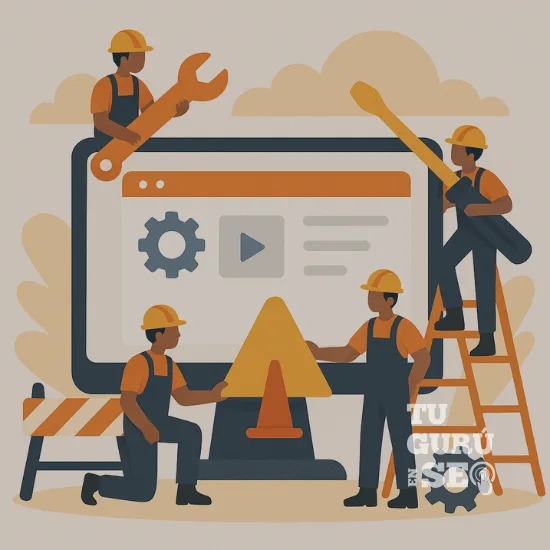
Building a website is only the first step of an online presence — but to guarantee its long-term performance, you need ongoing maintenance. Website maintenance is essential to make sure your site is always up to date, works properly, and stays secure for your users. In this article, I'll explain what website maintenance is, why it's crucial, and how it can benefit both your business and your visitors.
What Is Website Maintenance?
Website maintenance is a set of periodic tasks aimed at keeping your site running smoothly. These tasks include updating plugins and software, fixing bugs, improving security, and optimizing performance. It's a bit like preventive maintenance on your car: if you don't do it regularly, serious problems will sooner or later start showing up and affecting performance.
Why is website maintenance important?
Website maintenance isn't something you can neglect. Many people think that once their site is live, it no longer needs care. Yet failing to maintain it can lead to a number of problems that affect both the business and the user experience. Here are a few key reasons that explain the importance of ongoing maintenance:
1. Security: essential protection
One of the most important reasons to keep your site up to date is security. The internet is full of threats, and if your site isn't updated, it can become vulnerable to hacker attacks, malware, or viruses. Regular software and plugin updates strengthen your site's security, protecting your information and your customers' data.
2. Optimal performance
A website that loads fast and runs smoothly offers a better user experience. Website maintenance includes performance optimization, making sure your site is fast and free of errors that could slow it down.
3. SEO: a key factor for Google
Google and other search engines favor well-maintained websites. Pages with errors, slow load times, or security issues tend to lose ground in search results. Updating and optimizing your site helps improve your search engine ranking and attract more organic traffic.
4. Up-to-date features
Technology moves forward constantly, and what's useful today can become obsolete tomorrow. Maintaining your site lets you add new features and remove ones that are no longer needed, improving the user experience.
5. Troubleshooting and risk reduction
Every website sooner or later runs into technical errors. Maintaining your site helps you identify and fix these errors before they become major problems that affect its usability.
Essential website maintenance tasks
Website maintenance involves a number of activities that need to be carried out regularly. Here are the most important tasks:
Software and plugin updates
If your site is built on platforms like WordPress, you'll need to regularly update the CMS software and the plugins you use. Updates not only fix bugs and add new features, but also patch security vulnerabilities.
Regular backups
Regular backups are essential. In the event of a serious problem (an attack or data loss), a backup lets you quickly restore your site. Both the site's files and its database should be backed up.
Speed optimization
Load time is crucial for both user experience and SEO. Images need to be optimized, code should be clean, and unnecessary scripts should be removed. These speed improvements help retain users and improve your Google ranking.
Broken link checking
Broken links hurt the user experience and can negatively affect SEO. During maintenance, it's important to regularly check every link on your site to make sure none are broken or leading to nonexistent pages.
Content improvement
Your business evolves, and so should your content. Regularly reviewing and updating the information on your website ensures it stays relevant and aligned with your goals. Google also values sites whose content is kept current.
Functionality testing
It's important to check that every feature on your site works correctly. This includes contact forms, payment gateways, shopping carts, and any other feature that relies on user interaction.
How Often Should You Do Website Maintenance?
Many website owners often ask themselves: how often should I maintain my site? The answer depends on the size and complexity of your site. That said, here's a general guide:
- Plugin and software updates: at least once a month.
- Backups: depending on how many changes are made to your site, these can be daily, weekly, or monthly.
- Broken link checks: once every three months.
- Functionality tests: every time you add a new feature or modify an existing one.
- Speed and performance optimization: every six months, or whenever you notice a drop in load speed.
Website Maintenance: What Happens If You Skip It?
Ignoring website maintenance can lead to a number of negative consequences. The most common ones include:
- Vulnerability to attacks: without regular updates, your site becomes an easy target for hackers. This can lead to data loss, malware infections, or even Google blocking your site for being unsafe.
- Poor performance: over time, sites that aren't properly maintained become slow and hard to navigate, prompting users to quickly abandon your page.
- Lost SEO rankings: search engines place importance on constant updates and good functionality. If your site isn't well maintained, it will drop in rankings, resulting in less organic traffic.
- Higher costs: by ignoring small problems for too long, you risk paying more for major repairs down the line. Regular maintenance is far less costly in the long run.
Benefits of ongoing website maintenance
By performing ongoing maintenance on your website, you not only protect it from potential problems, but you also gain a number of benefits:
- Better user experience: a website that loads fast, is secure, and free of errors creates a better experience for users, increasing the likelihood of retention and conversion.
- Better security: security updates protect you against threats and ensure your customers' data always stays safe.
- Better performance: thanks to constant optimization, your site will be more efficient, both in speed and functionality.
- Greater visibility on Google: Google values sites that offer a good user experience, so regular maintenance will help improve your ranking in search results.
FAQ – Website Maintenance (optimized and expanded)
What exactly is website maintenance?
It's the set of actions aimed at keeping your site fast, secure, and functional.
How long does maintenance take?
Depending on the site: anywhere from 30 minutes to several hours. What matters is doing it regularly.
Does maintenance really improve SEO?
Yes, Google favors sites that are fast, stable, and up to date.
What does an outdated site risk?
Hacking, data loss, bugs, slowness, dropping rankings.
Should I back up even if I don't change my site?
Yes, it's essential to prevent any data loss.
Is maintenance different from technical support?
Yes:
- Maintenance = prevention, updates, optimization
- Technical support = fixing one-off problems
Can I do the maintenance myself?
Yes, but it requires vigilance and know-how. One mistake can break the entire site.
Need professional website maintenance?
← Previous
Ripley Peru - 7 SEO Mistakes Costing $3.4M a Year
Next →
Effective SEM Strategies for Lyon Businesses | SEM Agency in Lyon
You might also need